
Home · Chatbot for a university and college
Solutions for universities and colleges
Chatbot for a university and college
Applicants ask the bot about admission dates, programs, documents and the dormitory and leave a contact after consent — an “Applicant” card appears in “CRM”. The same bot registers people for the open day and takes students' certificate requests to the dean's office. A bot with the university templates works in the “AI in Russia” mode right away: if you add an AI agent, only Yandex models will reply.
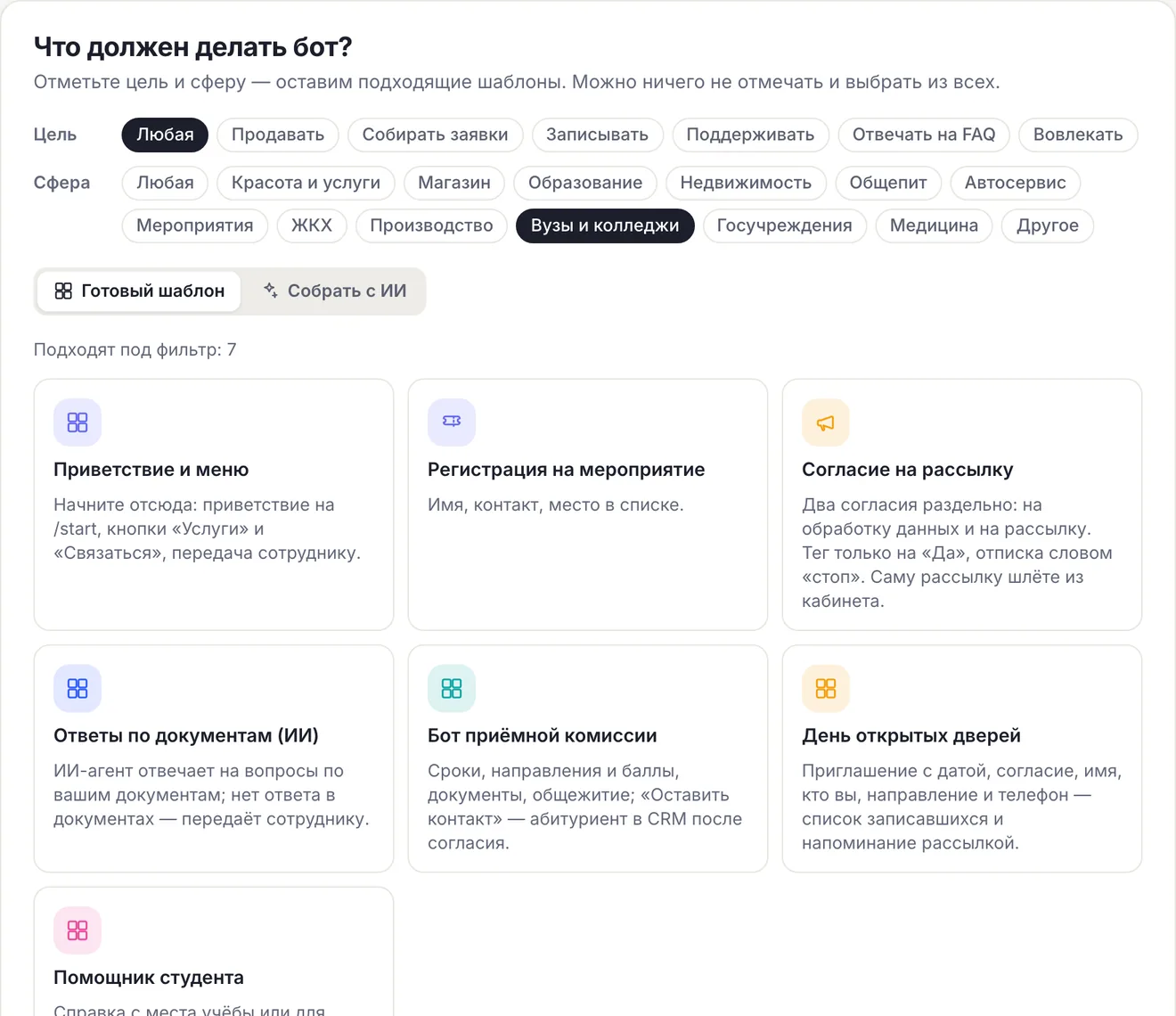
Three templates: admissions, open day, students“AI in Russia” mode right awayMAX, VK and website
What the bot does for a university and college
Admissions office answers
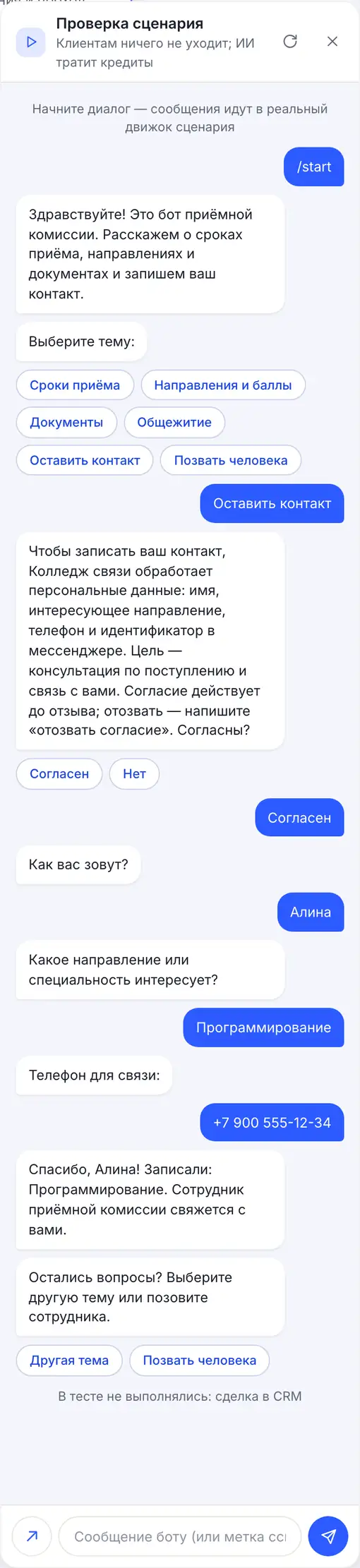
Admission dates, programs and passing scores, documents and dormitory — by buttons. The answers are your text: dates changed — you edit one step, and the answer updates in all channels.
Applicant contacts
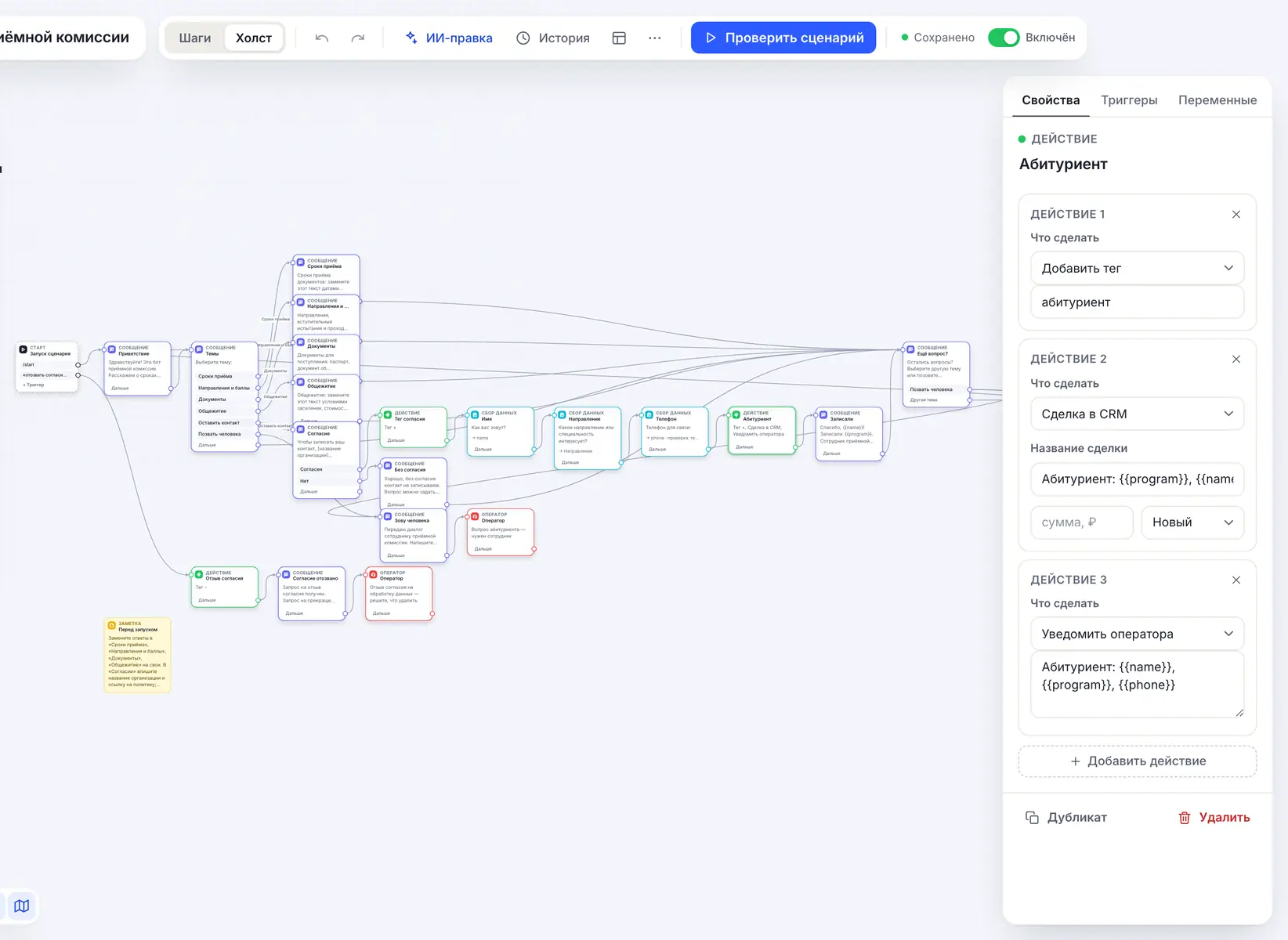
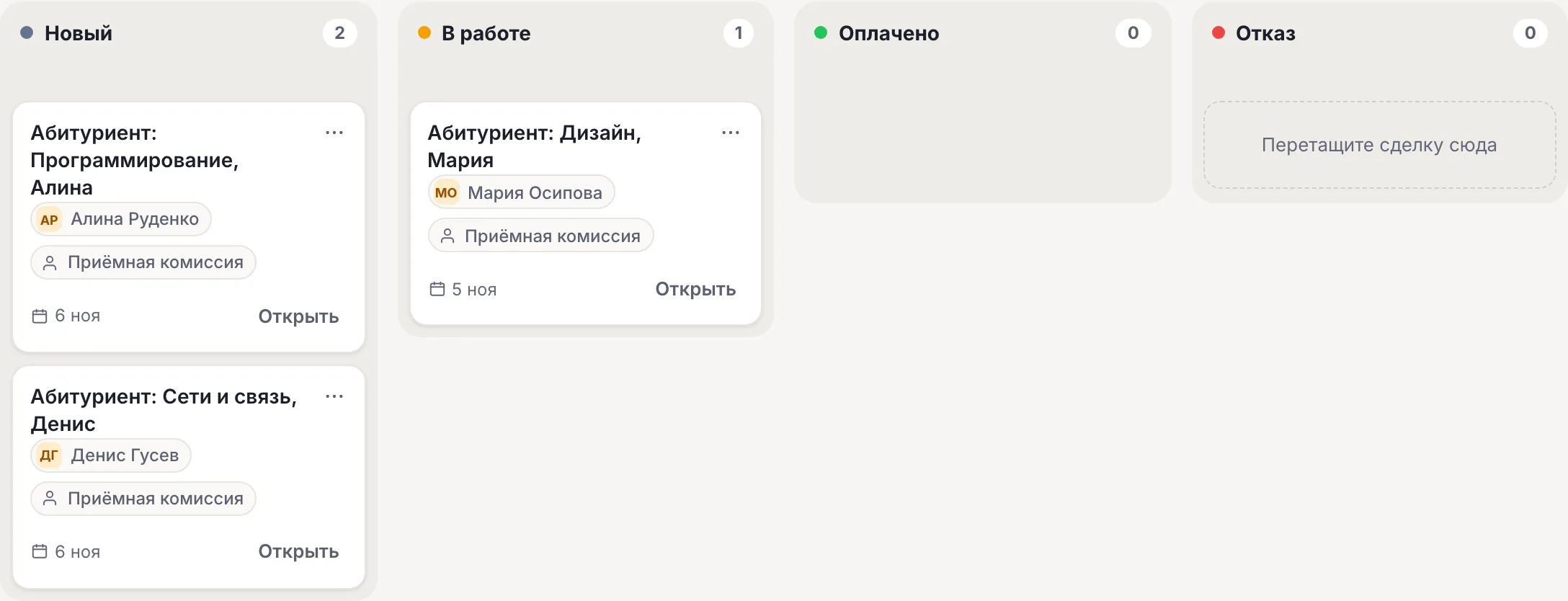
“Leave a contact” first asks for consent, then the name, program and phone. In “CRM” — an “Applicant: program, name” deal; the “абитуриент” tag builds the audience for a broadcast about deadlines.
Open day
The “Open day” template: consent, name, who you are — a school student, a college student or a parent — program and phone. Those registered get a tag, and the day before — a broadcast by it.
Certificates for students
The “Student assistant” template: a certificate of enrollment or for the military registration office — the type, full name and group go to the dean's office as a notification. Timetable, scholarship and dormitory — as ready-made texts.
AI in Russia right away
A bot created with the university templates works in the “AI in Russia” mode: AI agent replies are prepared by Yandex models in Yandex Cloud, foreign models are not used. The mode by itself does not guarantee compliance with 152-FZ.
Answers based on admission rules
From Basic an AI agent answers in its own words based on admission rules and regulations — up to 15,000 characters of text per agent. If the documents have no answer, the question goes to an employee.
How to launch an admissions office bot
-
1
Create a bot with a template
The “Use the admissions office template” button leads to sign-up: the bot is created with the “Admissions office bot” template and in the “AI in Russia” mode right away. The others — “Flows” → “All templates and AI”, sphere “Universities & colleges”.
-
2
Enter the admission rules
Replace the placeholder dates, programs, documents and dormitory with your own. In “Consent” enter the university's name and a link to the personal data processing policy.
-
3
Connect channels
“Channels” → MAX and VK — for example, the university's official community; the website chat — in the “Widget” section. One flow replies in all channels.
-
4
Give applicants the link
The bot link and QR code — on the admissions page, in the community and on the open day stand. Check the path yourself: an “Applicant” deal should appear in “CRM”.
Ready-made flow: admissions office
Dates, programs and scores, documents, dormitory — by buttons; “Leave a contact” — consent, name, program and phone, an “Applicant” deal in “CRM”. No AI, but the bot is in the “AI in Russia” mode right away.
Admissions office bot Deadlines, programmes and scores, documents, dormitory; “Leave contact” — an applicant in CRM after consent. Open →What it looks like in the account
In the flow wizard tick the “Universities & colleges” sphere.
The admissions office template on the canvas: topic menu, answers, consent and an “Action” with a tag, a deal and a notification.
Three university templates: what goes where
| Template | Who writes | Result |
|---|---|---|
| “Admissions office bot” | Applicants and parents | Answers by buttons; an “Applicant” deal in “CRM”, the абитуриент tag |
| “Open day” | School students, college students, parents | The день-открытых-дверей tag, a notification to staff, the list in “Contacts” and CSV |
| “Student assistant” | Students | A certificate request as a notification to the dean's office, the справка tag |
The bot does not accept applications for admission or upload documents: they are submitted in person, via Gosuslugi or by post, as in the “Documents” answer. A reminder about the open day and admission deadlines is a broadcast by tag; it can be scheduled for a date (from Basic). Kindergartens, schools and clubs — on the education bot page.
- For an applicant under 18 a parent gives consent — the button does not check this.
- “Student assistant” has no consent step: if your lawyer considers it necessary, put it first, as in “Admissions office bot”.
- Admissions office and dean's office staff are invited in the “Access” section from Basic.
152-FZ: servers and AI in Russia, consent before data
CHBT's main servers and database are located in Russia (Moscow); Telegram messages pass through our node abroad. For official communication we recommend that a state university or college use MAX, VK and the website chat: when providing public services and fulfilling a state assignment, the law restricts the use of foreign messengers to transfer citizens' personal data (Part 8 of Art. 10 of 149-FZ).
A bot created with the admissions office, open day or student assistant templates works in the “AI in Russia” mode right away. If you add an AI agent, its answers, intent recognition and flow assembly are prepared by Yandex models: Alice AI LLM Flash for 1 credit by default, YandexGPT 5.1 Pro for 3 as an option. Requests are processed in Yandex Cloud, request logging at Yandex is disabled, foreign models are not used. The mode limits the choice of models and by itself does not guarantee that data processing complies with 152-FZ — the legal grounds are determined by the university. The mode is switched on the “AI agents” page.
In the admissions office and open day templates consent is asked in a separate message before the name and phone; on “No” no data is collected. More — in the article on 152-FZ and a chatbot.
Payment by invoice and EDI
Organizations and public sector institutions can pay for a plan by invoice from a bank account; the contract and closing documents — including via EDI. To get an invoice, write to help@chbt.io.
The price is per bot per month: Basic — 650 ₽, Business — 1290 ₽. The admissions office and the dean's office can work in one bot or in separate ones — each bot is paid for separately.
What the university bot does not do
The limits are clear before you launch.
- Does not accept applications and documents for admission: gives the submission procedure as text.
- Does not issue certificates or run an electronic dean's office: takes the request, the certificate is prepared by staff.
- Does not know the timetable and scores itself: replies with what you enter or from the AI agent's knowledge base.
- Does not write first: replies to those who opened the bot themselves.
- A broadcast is text only and goes only to Telegram, MAX and VK: it doesn’t reach the website chat.
Available plans
The price is per CHBT bot per month. Free's 30 conversations are 30 different people a month across all channels together: enough to check the flow, not enough for an admissions campaign. In the “AI in Russia” mode a reply on Alice AI LLM Flash costs 1 credit, on YandexGPT 5.1 Pro — 3. An organization can pay by invoice, documents — including via EDI.
Works with
FAQ
Does the bot send applicants' questions to foreign neural networks?
The university templates work without AI. A bot with these templates is in the “AI in Russia” mode right away: if you add an AI agent, Yandex models in Yandex Cloud reply, foreign models are not used. The mode only limits the choice of models and does not guarantee that all data processing complies with 152-FZ.
Can the bot accept an application for admission?
No. The bot answers about dates, programs and documents and records the applicant's contact in “CRM”. The application is submitted in person, via Gosuslugi or by post — enter the procedure in the “Documents” answer.
Where do applicant contacts go?
To “CRM” — as an “Applicant: program, name” deal at the “New” stage, with a notification to all bot operators. The “абитуриент” tag is the audience for a deadline broadcast from the Basic plan.
How is this bot different from a school bot?
The university templates are made for applicants and students: admissions, the open day, certificates from the dean's office. For kindergartens, schools and clubs there are separate templates on the “Education bot” page.
Can we pay by invoice?
Yes. Organizations and public institutions can pay for a plan by invoice from a bank account; the contract and closing documents can also go through electronic document exchange (EDI). To get an invoice, write to help@chbt.io.
An admissions campaign without the same phone calls
Create a bot with the “Admissions office bot” template, enter the deadlines and documents and pin the link in the university's community. Free plan, no card needed.