
Home · Chatbot for manufacturing: blue-collar hiring and a new employee guide
Solutions for manufacturing
Chatbot for manufacturing: blue-collar hiring and a new employee guide
A candidate scans the QR code on a job ad, picks a position, agrees to data processing and answers four questions — a “Candidate” card appears in “CRM” and HR gets a notification with the phone. A new employee opens the same bot and finds answers for the first days: pass, workwear, shifts, salary.
The “Blue-collar hiring” and “New employee guide” templatesConsent — before the formWork without AI, on Free
What the bot does at a plant
Job applications
Position by button or your own in text, name, experience, a suitable schedule — 5/2, 2/2, shifts, rotation — and a phone number with format check. Experience and schedule go into the candidate's card and the CSV export.
Consent — before the form
A separate message with the purpose, the data involved and how to withdraw, with the “I agree” and “No” buttons. On “No” the form is not filled in; only those who agreed get the “согласие-пдн” tag.
Candidates in the CRM
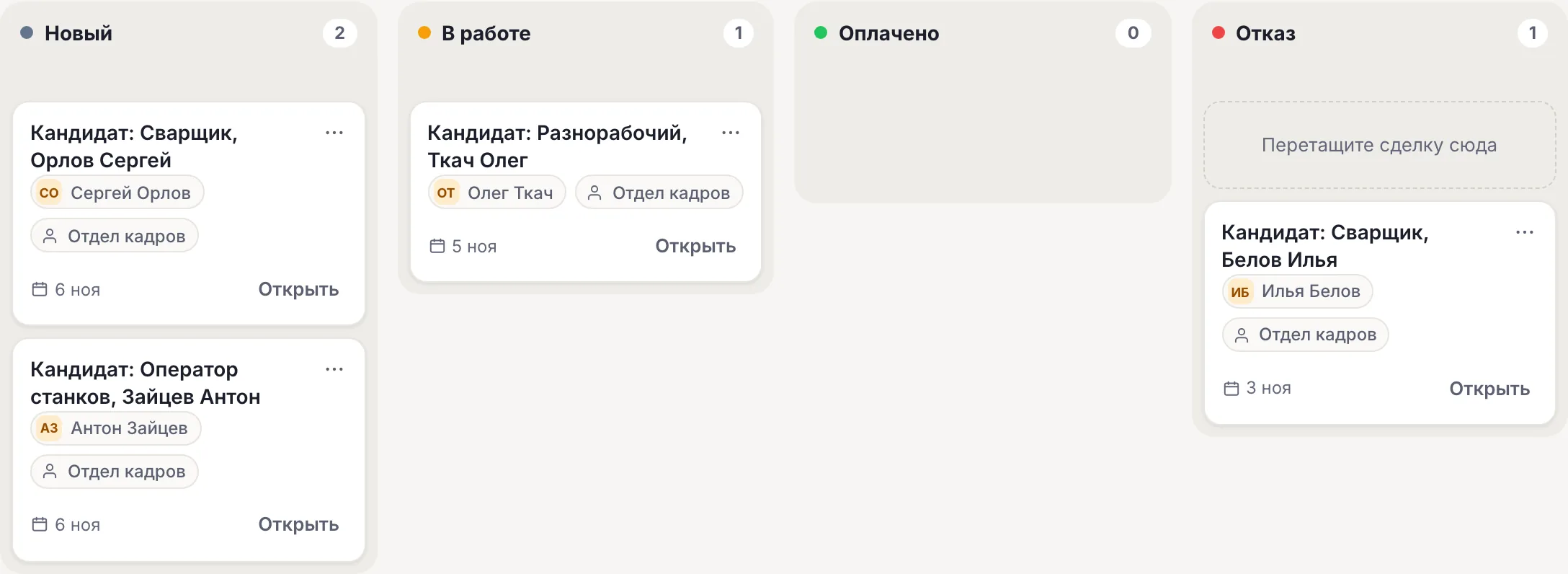
Each application is a “Candidate: vacancy, name” deal at the “New” stage. HR moves the card through the stages and writes to the candidate from “Conversations” in the same messenger.
New employee guide
The “New employee guide” template: first day and pass, workwear and PPE, shifts and transport, salary and leave — by buttons. No answer found — “Call a person”.
Notices to staff
From Basic — a broadcast by tag: to a shift, a shop floor or everyone who subscribed. Text only and only to those who have already written to the bot.
Staff survey
The “Customer survey (NPS)” and “Questionnaire” templates: answers go to card fields and “Survey answers”. The survey is not anonymous: the bot knows who answered.
How to launch an HR bot
-
1
Create a bot with a template
The “Use the hiring template” button leads to sign-up: the bot is created with the “Blue-collar hiring” template and the editor opens. Add the guide in the same bot: “Flows” → “All templates and AI”, sphere “Manufacturing”.
-
2
Enter vacancies and consent
Replace the vacancy buttons with your own: a new button is one more exit and an “Action” with the title. In “Consent” enter the organization's name and a link to the personal data processing policy.
-
3
Connect channels
“Channels” → MAX, Telegram or VK; the website chat — in the “Widget” section. One flow replies in all channels.
-
4
Place the QR code
The bot link and QR code — in the job ad, at the checkpoint and on the company's social media. Check the path yourself: a “Candidate” deal should appear in “CRM”.
Ready-made flow: blue-collar hiring
Vacancy by button, consent to data processing before the form, name, experience, schedule and phone. A “Candidate: vacancy, name” deal in “CRM” and a notification to HR. No AI: works on any plan.
Blue-collar hiring Vacancy by button, consent to data processing, name, experience, schedule and phone — a candidate in CRM, a notification to HR. Open →What it looks like in the account
In the flow wizard tick the “Manufacturing” sphere — hiring, the guide, surveys and broadcasts remain.
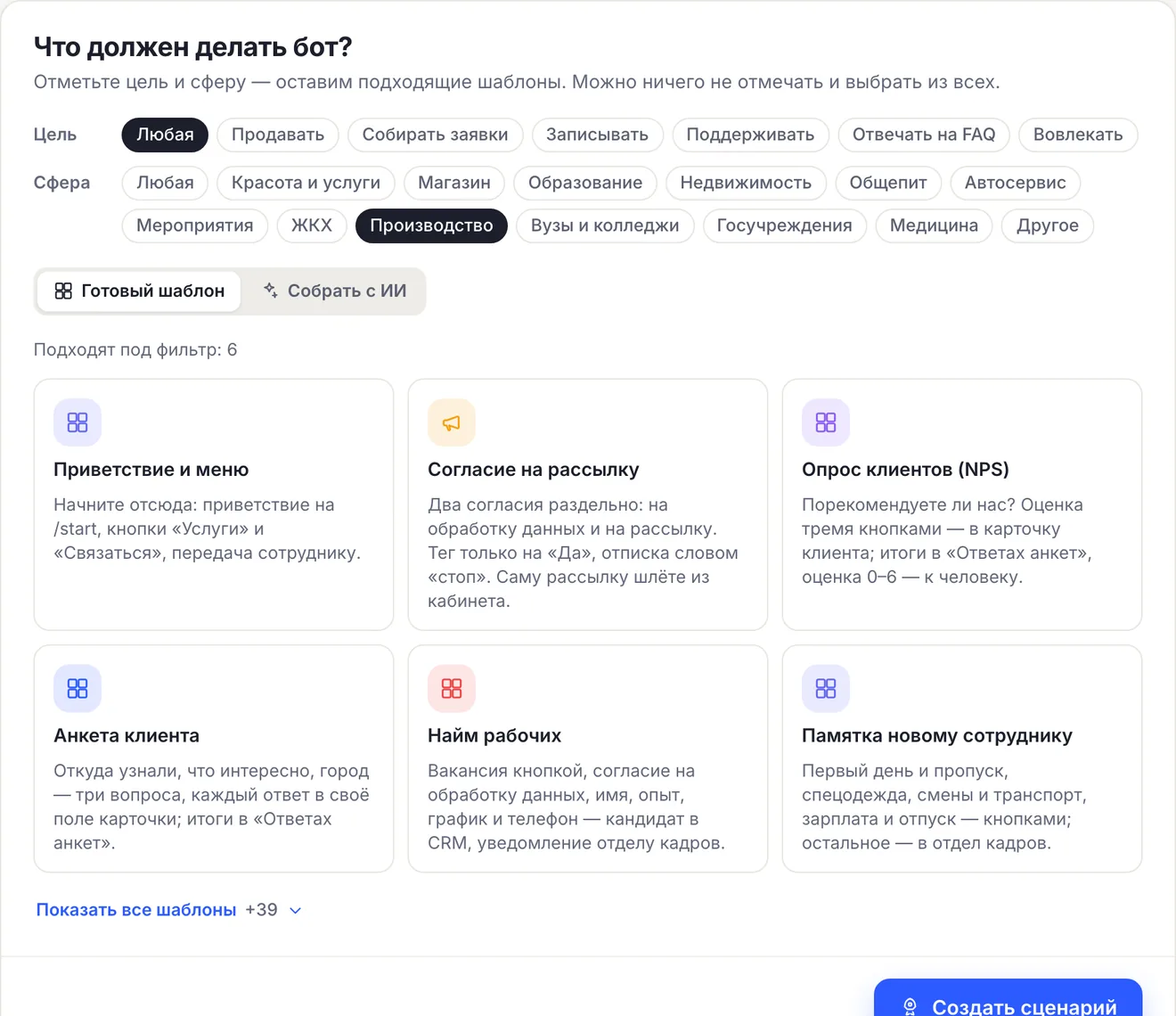
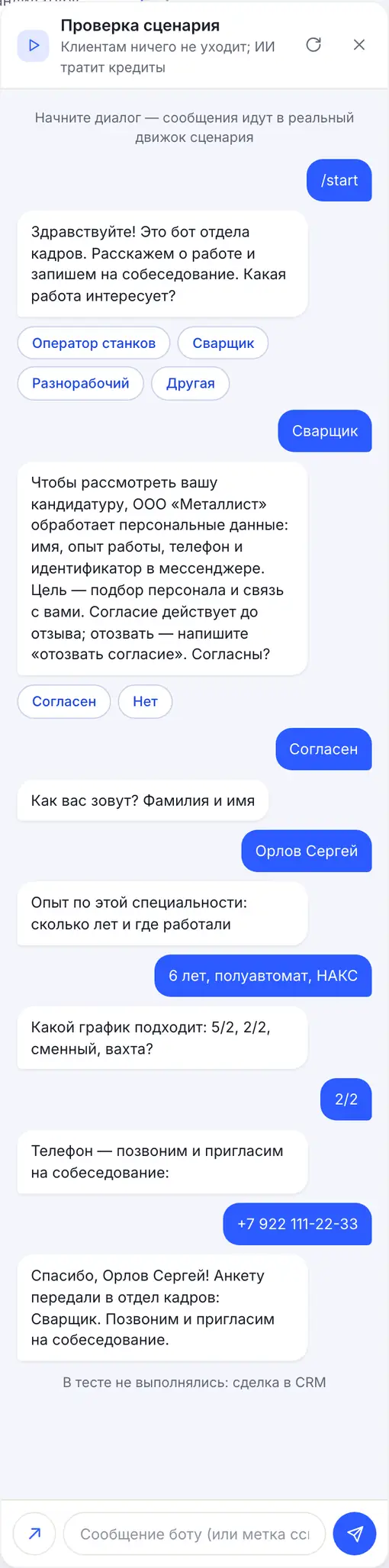
The “Blue-collar hiring” template on the canvas: vacancies, consent, four questions and an “Action” with a tag, a deal and a notification.
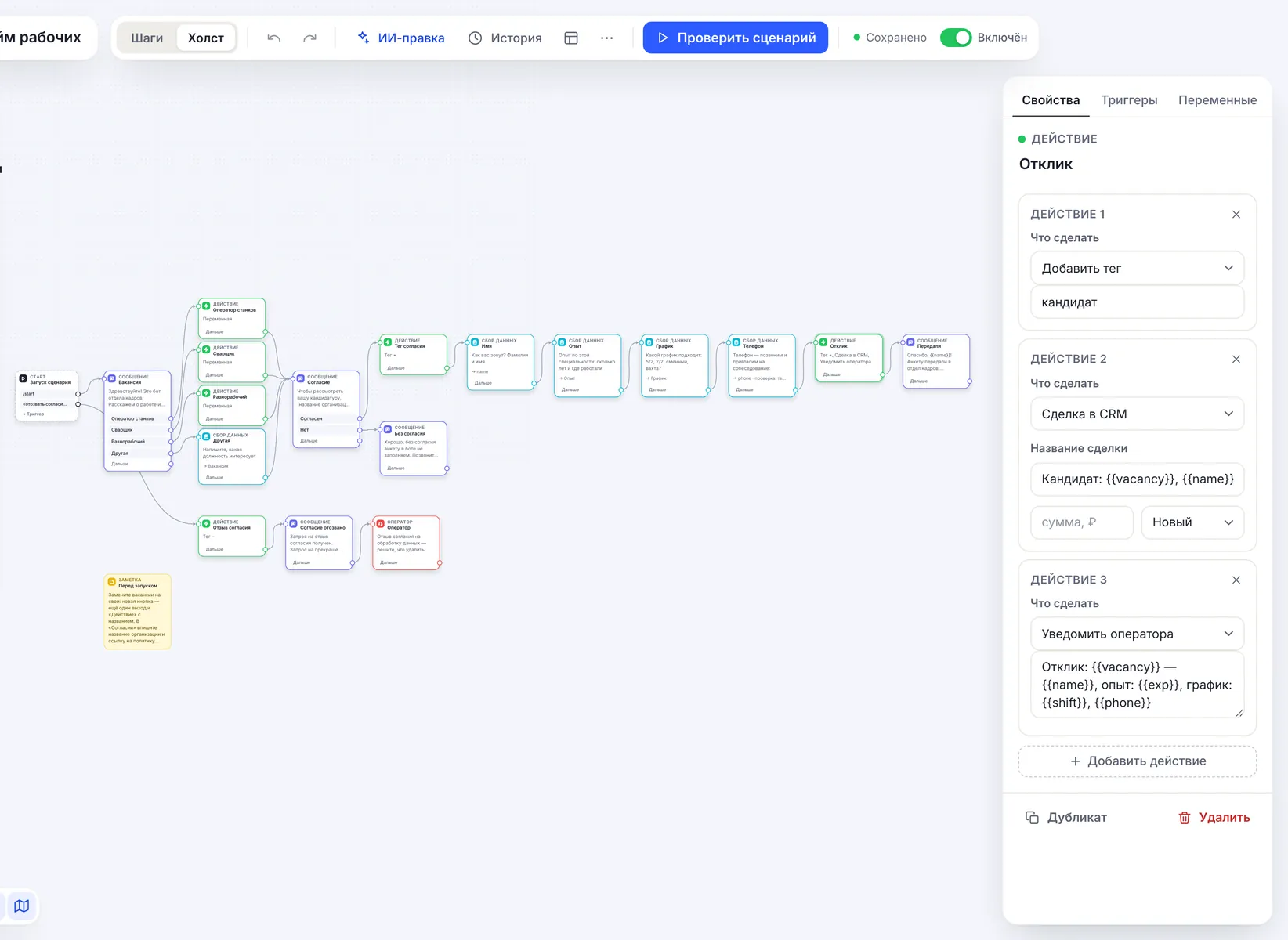
“Check flow” — an application through the candidate's eyes: consent first, then the form.
Hiring and onboarding: what each template does
| Task | Template | Result |
|---|---|---|
| Job application | “Blue-collar hiring” | A “Candidate” deal, a notification to HR, the “Experience” and “Schedule” fields in the card |
| First-day questions | “New employee guide” | Answers by buttons, the rest — to “Conversations” for HR |
| Answers based on regulations and instructions | “Answers from documents” | AI agent from Basic, knowledge base up to 15,000 characters per agent |
| Staff survey | “Customer survey (NPS)”, “Questionnaire” | Answers in “Contacts” → “Survey answers”, not anonymous |
| Notices | Broadcast by tag | From Basic, text only |
“CRM” stages are fixed — “New”, “In progress”, “Paid”, “Denial” — and named for sales: for candidates use “New”, “In progress” and “Denial”.
- The bot is not connected to 1C, ZUP or HR systems: candidates are exported to CSV from “Contacts”.
- It is not a corporate messenger or a timesheet: the bot replies in a private chat in MAX, Telegram, VK or on the website.
- There is no corporate account sign-in: an employee writes to the bot from their own messenger.
152-FZ: servers and AI in Russia, consent before data
CHBT's main servers and database are located in Russia (Moscow); Telegram messages pass through our node abroad. The hiring and guide templates work without AI and do not send candidates' answers to any models. If you add an AI agent, turn on the “AI in Russia” mode on the “AI agents” page: Yandex models in Yandex Cloud will reply — Alice AI LLM Flash for 1 credit or YandexGPT 5.1 Pro for 3 — and foreign models are not used in the bot. The mode limits the choice of models and by itself does not guarantee that data processing complies with 152-FZ.
In “Blue-collar hiring” consent is asked in a separate message before the name and phone. The words “отозвать согласие” or “удалите мои данные” remove the согласие-пдн tag and hand the conversation to an employee: what to delete is decided by your organization. Do not add passport details or health information to the form — they are collected during onboarding. More — in the article on 152-FZ and a chatbot.
Payment by invoice and EDI
Organizations and public sector institutions can pay for a plan by invoice from a bank account; the contract and closing documents — including via EDI. To get an invoice, write to help@chbt.io.
The price is per bot per month: Basic — 650 ₽, Business — 1290 ₽. Hiring and the guide work in one bot, you do not need a separate bot for each flow.
What the bot doesn’t do
The limits are clear before you launch.
- Not connected to 1C, ZUP, HRM or HR systems: data is in “CRM”, “Contacts” and CSV.
- Does not keep a timesheet or track working hours.
- Does not run anonymous surveys: the answer is visible in the card of the person who answered.
- Does not write to a candidate first: replies to those who opened the bot via a link or QR code.
- Does not accept a résumé as a file in MAX, Telegram and VK: experience — as text. Files work only in the website chat.
Available plans
The price is per CHBT bot per month. Free's 30 conversations are 30 different people a month across all channels together: enough to check the flow, not enough for mass hiring. Staff are invited in the “Access” section from Basic. An organization can pay by invoice, documents — including via EDI.
Works with
FAQ
Where do candidate applications go?
To “CRM” — as a “Candidate: vacancy, name” deal at the “New” stage; experience and schedule — in the card and in the CSV export. All bot operators get a notification with the phone.
Does a candidate need to consent to data processing?
The template asks for it in a separate message before the name and phone: on “No” the form is not filled in, only those who tapped “I agree” get the “согласие-пдн” tag. Enter the organization's name and a link to your policy.
Can the bot be connected to 1C or ZUP?
There is no ready-made integration. Candidates and answers are exported to CSV from “Contacts”; you can pass data to your own system with the “HTTP request” block.
Will the staff survey be anonymous?
No. The bot knows who answered: answers are saved in the employee's card and visible in “Survey answers”. Warn about this in the survey text.
Can we pay by invoice?
Yes. Organizations and public institutions can pay for a plan by invoice from a bank account; the contract and closing documents can also go through electronic document exchange (EDI). To get an invoice, write to help@chbt.io.
Applications from the checkpoint — straight to the CRM
Create a bot with the “Blue-collar hiring” template, enter your vacancies and hang a QR code at the checkpoint. Free plan, no card needed.