
Home · Chatbot for an administration and a public institution
Solutions for public institutions
Chatbot for an administration and a public institution
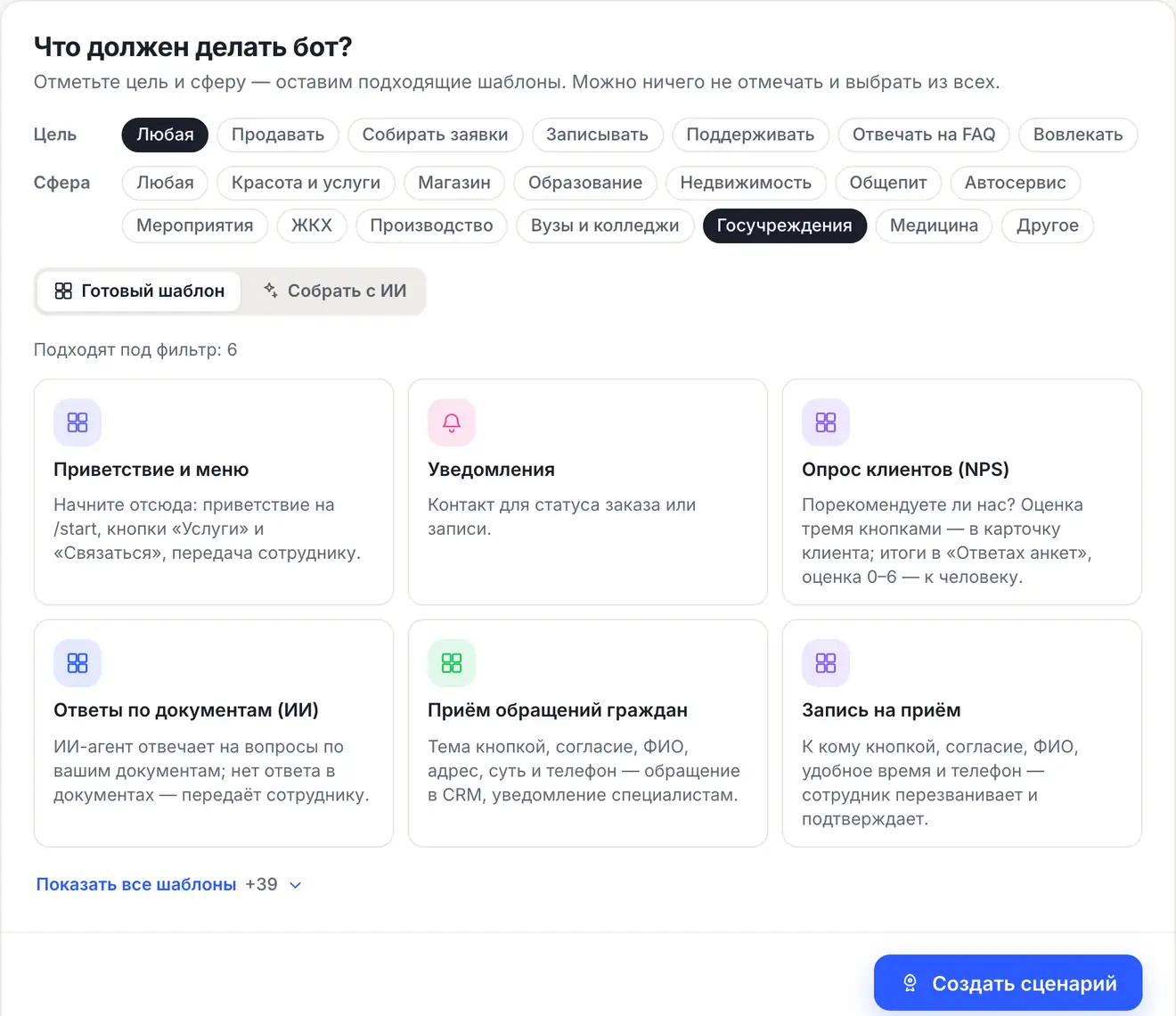
Residents write to the administration's or institution's bot in MAX, VK or the website chat: they choose the appeal topic, agree to data processing and write their full name, address, the essence and phone. The appeal becomes a deal in “CRM”, specialists get a notification. The same bot books an appointment with the head or a specialist — the time is confirmed by an employee.
The “Citizen appeals” and “Appointment booking for a reception” templatesConsent — before dataWork without AI, on Free
What the bot does for an institution
Accepting appeals
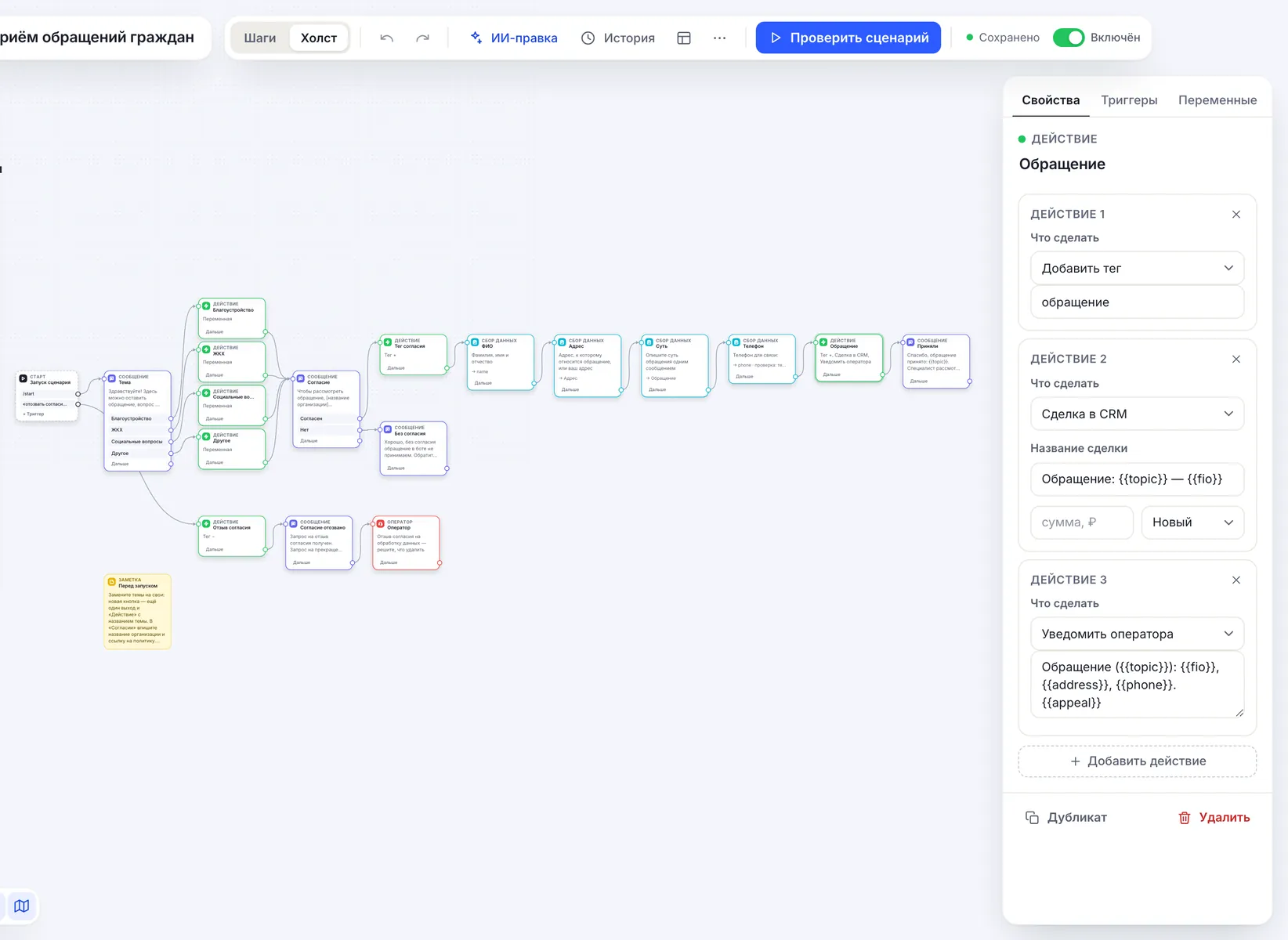
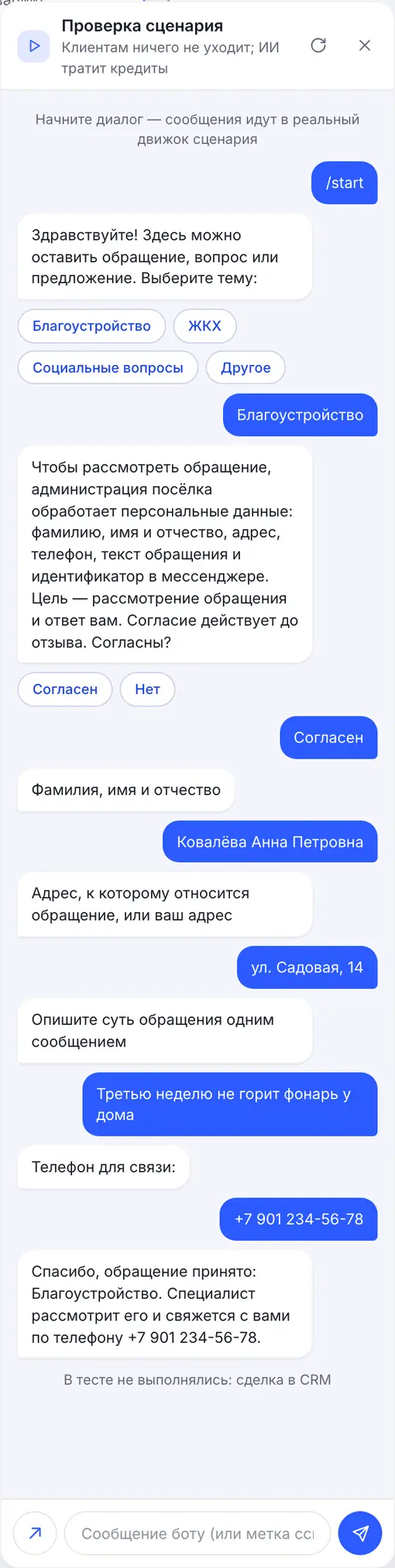
Topic by button — public amenities, housing and utilities, social issues or other — full name, address, the essence in one message and a phone number with format check. A new topic is one more button in the flow.
Consent — before data
A separate message with the purpose, the data involved and how to withdraw, with the “I agree” and “No” buttons. On “No” no data is collected, and the bot gives a phone number or address for a personal visit.
Appeals in the CRM
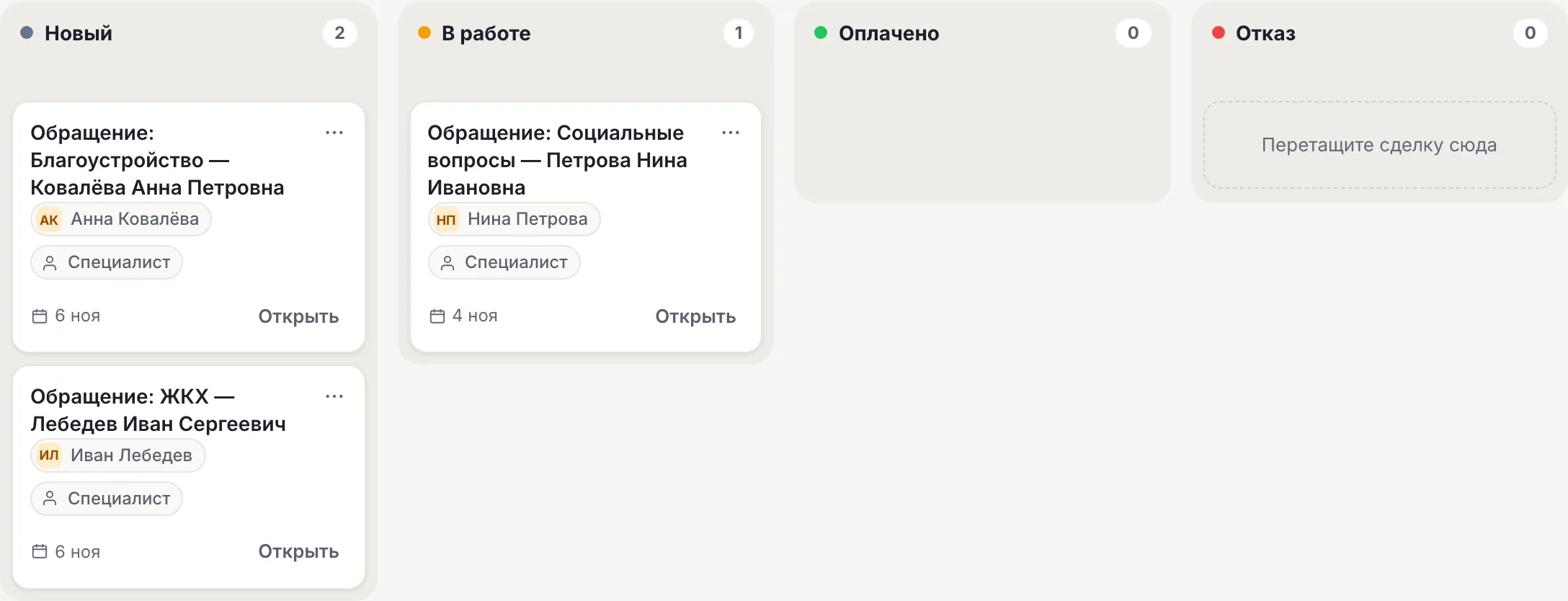
Each appeal is an “Appeal: topic — full name” deal. New ones are at the “New” stage; move the ones taken into work to “In progress”: this shows where each one stands.
Appointment booking for a reception
The “Appointment booking for a reception” template: who to see — by button, consent, full name, a convenient time in their own words and phone. An employee calls back and confirms the time.
Answers from documents
From Basic an AI agent answers in its own words based on regulations, reception hours and service procedures — up to 15,000 characters per agent. For a public institution, turn on the “AI in Russia” mode on the “AI agents” page.
The specialist — in the same chat
The specialist writes the reply to the citizen from “Conversations” in the messenger where the appeal came from. While an employee handles the conversation, the bot stays silent.
How to launch an institution’s bot
-
1
Create a bot with a template
The “Use the appeals template” button leads to sign-up: the bot is created with the “Citizen appeals” template and the editor opens. “Appointment booking for a reception” — “Flows” → “All templates and AI”, sphere “Public institutions”.
-
2
Enter the topics and consent
Replace the topics with your own, enter the institution's name and a link to the policy in “Consent”. In “Accepted” — the reply procedure and deadlines, and if needed a link to the official online reception.
-
3
Connect MAX and VK
“Channels” → MAX and VK — for example, the official community; the website chat — in the “Widget” section. One flow replies in all channels.
-
4
Give residents the link
The bot link and QR code — on the website, in the community, on notice stands and in the local newspaper. Check the path yourself: an “Appeal” deal should appear in “CRM”.
Ready-made flow: citizen appeals
Topic by button, consent to data processing before the form, full name, address, essence and phone. An “Appeal: topic — full name” deal in “CRM” and a notification to specialists. No AI: works on any plan.
Citizen appeals Topic by button, consent, full name, address, substance and phone — an appeal in CRM, a notification to specialists. Open →What it looks like in the account
In the flow wizard tick the “Public institutions” sphere.
The appeals template on the canvas: topics, consent, full name, address, essence, phone and an “Action” with a tag, a deal and a notification.
Appeals and 59-FZ: where the bot's role ends
The bot takes the message and splits it into fields: topic, full name, address, essence, phone. Whether such a message counts as an official written appeal, how to register it and within what time to reply is decided by your organization. The bot does not register appeals, does not assign a number and does not tell the citizen the status itself — the specialist replies from “Conversations” or by phone. If needed, give a link to the official online reception in the bot's reply.
| Template | What it asks | Where the result is |
|---|---|---|
| “Citizen appeals” | Topic, consent, full name, address, essence, phone | An “Appeal: topic — full name” deal, a notification, the обращение tag |
| “Appointment booking for a reception” | Who to see, consent, full name, convenient time, phone | A “Reception: who — full name” deal, a notification, the запись-на-приём tag |
- “CRM” stages are fixed — “New”, “In progress”, “Paid”, “Denial” — and named for sales; for appeals use “New” and “In progress”.
- It is not a calendar: the bot does not show free reception slots, the time is confirmed by an employee.
- The bot is not connected to the Gosuslugi feedback platform, SSTU or document management systems: data is in “CRM” and the CSV export.
152-FZ: servers and AI in Russia, consent before data
CHBT's main servers and database are located in Russia (Moscow); Telegram messages pass through our node abroad. When providing state and municipal services, the law restricts the use of foreign messengers to transfer citizens' personal data (Part 8 of Art. 10 of 149-FZ), so for official communication we recommend MAX, VK and the website chat.
The appeals and booking templates work without AI and do not send citizens' messages to any models. If you add an AI agent, turn on the “AI in Russia” mode on the “AI agents” page: Yandex models in Yandex Cloud will reply — Alice AI LLM Flash for 1 credit or YandexGPT 5.1 Pro for 3 — and foreign models are not used in the bot. For public institution templates the mode does not turn on automatically. It limits the choice of models and by itself does not guarantee that data processing complies with 152-FZ.
Consent is asked in a separate message before the full name and phone. The words “отозвать согласие” or “удалите мои данные” remove the согласие-пдн tag and hand the conversation to an employee: what to delete is decided by the institution. More — in the article on 152-FZ and a chatbot.
Payment by invoice and EDI
Organizations and public sector institutions can pay for a plan by invoice from a bank account; the contract and closing documents — including via EDI. To get an invoice, write to help@chbt.io.
The price is per bot per month: Basic — 650 ₽, Business — 1290 ₽. Appeals and appointment booking work in one bot.
What the institution's bot does not do
The limits are clear before you launch.
- Does not register appeals under 59-FZ or assign a number: the procedure is set by the institution.
- Does not tell the citizen the appeal status itself: the specialist replies.
- Does not show free reception times: it is not a calendar.
- Is not connected to Gosuslugi, the feedback platform or document management systems.
- Does not write first and does not accept files in MAX, Telegram and VK: the essence of the appeal — as text.
Available plans
The price is per CHBT bot per month. Free's 30 conversations are 30 different people a month across all channels together: enough to check the flow, hardly enough for a municipality. Specialists are invited in the “Access” section from Basic. The institution can pay by invoice, documents — including via EDI.
Works with
FAQ
Is a message in the bot an official appeal under 59-FZ?
Your organization decides: how to register messages from the bot and within what time to reply. The bot accepts the appeal and splits it into fields but does not register it or assign a number. If needed, give a link to the official online reception in the bot's reply.
How do I track appeals?
Each appeal is an “Appeal: topic — full name” deal in “CRM” at the “New” stage; move the ones taken into work to “In progress”. All bot operators get a notification with the phone and the essence.
Which channels should an institution connect?
For official communication — MAX, VK and the website chat: the law restricts transferring citizens' personal data via foreign messengers when providing public services. One flow for all channels.
Does the bot send citizens' messages to neural networks?
The appeals and booking templates work without AI. If you add an AI agent, turn on the “AI in Russia” mode on the “AI agents” page — Yandex models will reply. The mode limits the choice of models and by itself does not guarantee compliance with 152-FZ.
Can we pay by invoice?
Yes. Organizations and public institutions can pay for a plan by invoice from a bank account; the contract and closing documents can also go through electronic document exchange (EDI). To get an invoice, write to help@chbt.io.
Residents' appeals — in one list with stages
Create a bot with the “Citizen appeals” template, enter the topics and the reply procedure and connect MAX and VK. Free plan, no card needed.